
Best Free Password Manager 2026: The Complete, Honest Guide

The best free password manager 2026 has to offer isn’t the same pick on every review site, and that’s exactly why this guide exists. If you’ve searched this already, you’ve probably noticed something annoying: every “best free password manager” list gives you a different winner. One site says Bitwarden. Another says NordPass. Another says RoboForm. Google’s own AI Overview leans toward Bitwarden too, but throws Apple Passwords and KeePass into the mix depending on how you phrase the question.
Nobody’s lying to you. They’re just testing for different things. Once you know what each site actually optimized for, the “disagreement” stops being confusing and starts being useful. That’s what separates a genuinely useful best free password manager 2026 comparison from a templated top-10 list — it doesn’t just hand you a winner, it shows you why the winner changes depending on what you need.
Best Free Password Manager 2026: Quick Answer
If you’re in a hurry, here’s the short version of the best free password manager 2026 has to offer, broken down by what you actually need it for:
- Best free password manager overall: Bitwarden. Unlimited passwords, unlimited devices, open source, nothing important locked behind a paywall.
- Best completely free password manager (no device cap, no trial trickery): Proton Pass or Bitwarden. Both are free forever, not a disguised trial.
- Best free password manager for iPhone: Proton Pass or Bitwarden, both with full Face ID and passkey support in iOS.
- Best free password manager for Android: Bitwarden, with Proton Pass close behind.
- Best free password manager for PC, and the one Reddit keeps recommending: Bitwarden, hands down — more on why below.
- Best free open source password manager: Bitwarden if you want cloud sync, KeePassXC if you want everything stored locally with zero cloud involvement at all.
- Best for people who just got burned by a “free” plan that wasn’t really free: read the section on Dashlane and RoboForm below before you pick anything.
Now let’s get into why the lists disagree, what actually matters, and the stuff most guides leave out entirely.
Why Every “Best Free Password Manager 2026” List Gives You a Different Answer
This is worth explaining honestly instead of pretending there’s one objective winner, because there isn’t — there’s a winner for each priority.
Sites that rank NordPass first are usually weighting interface polish and encryption speed heavily. NordPass uses XChaCha20 encryption, which is genuinely fast and modern, and its app is the easiest to hand to someone who’s never used a password manager before. The trade-off nobody puts in the headline: NordPass’s free plan only lets you stay logged into one device at a time. Log in on your phone, and your laptop session gets booted.
Sites that rank RoboForm first are usually weighting free-tier breach monitoring and form-filling accuracy. RoboForm’s free plan does include password breach scanning, which is rare for a zero-cost tier. The catch: RoboForm’s free plan is also locked to a single device, and there’s no web vault access without a premium trial.
Sites that rank Bitwarden first (and this is most of them) are weighting device limits and openness above all else. Bitwarden’s free plan is unlimited passwords AND unlimited devices logged in simultaneously, which none of the above two offer. It’s also fully open source, meaning independent security researchers can and do audit the code, not just the company’s own marketing claims.
Proton Pass shows up near the top on privacy-focused sites specifically, because its free plan also supports unlimited devices, throws in ten free email aliases to cut down on spam, and comes from the team behind Proton Mail and Proton VPN — a company whose entire business model is built around not being the kind of company that monetizes your data.
So when you see conflicting “#1 picks,” it’s not usually one site being wrong. It’s one site optimizing for beginners (NordPass), one for security-feature depth on a free tier (RoboForm), and most others for the thing that actually annoys real users the most day to day: device limits.
Best Free Password Manager 2026: Full Comparison

Here’s what each free plan actually gives you, without the marketing gloss:
Bitwarden
Unlimited devices, unlimited passwords, passkey support, open source, AES-256 encryption, zero-knowledge architecture. No credit card required to sign up.
Proton Pass
Unlimited devices, unlimited passwords, passkey support, open source, end-to-end encryption, 10 free email aliases, 1GB encrypted storage. No credit card required.
NordPass
Unlimited passwords but single-device login only on free, passkey support, XChaCha20 encryption, 24/7 support even on the free tier. No credit card required.
KeePassXC
Unlimited passwords, fully offline (no company servers involved at all), open source, AES-256 encryption. You manage your own sync (commonly done through Syncthing or a personal cloud folder like Dropbox). No account required, period.
RoboForm
Unlimited passwords but single-device only on free, includes breach monitoring on the free tier (a genuine standout), best-in-class form filling. No web vault access on free.
Keeper
Capped at roughly 10 password and passkey records on the free tier, single mobile device only. Strong for someone with a genuinely small footprint who wants a taste of Keeper’s security-first design before committing.
Zoho Vault
Worth knowing about specifically if you’re comparing options for a small team, not just personal use. Its free plan supports unlimited password storage with AES-256 encryption and zero-knowledge architecture, but leaves password sharing out of the free tier. It picked up a wave of new attention in late 2025 specifically because Dashlane discontinued its free plan entirely on September 16, 2025 — worth remembering if you see older articles still listing Dashlane as a free option, because that information is now out of date.
Google Password Manager and Apple Passwords: Do You Even Need a Third-Party App?
This comes up constantly, and the honest answer is: it depends entirely on how many device types you use.
Google Password Manager is currently the single most-used password tool in the US, at roughly 32% of users, mostly because it’s just sitting there inside Chrome and Android with zero setup. Apple’s Passwords app (formerly iCloud Keychain) is second at around 23%, same story on iOS and macOS. Both are legitimately fine if you live entirely inside one ecosystem.
Where they fall short: neither syncs cleanly across ecosystems. If you’ve got an iPhone and a Windows PC, or an Android phone and a Mac, you’re going to hit friction. Google Password Manager also doesn’t use true zero-knowledge architecture by default — on-device encryption is opt-in, not automatic, which means it’s technically possible (though not the norm) for Google to have some visibility into your vault under certain conditions. Apple Passwords does use AES-256 with zero-knowledge principles, but it’s a closed ecosystem: no Windows or Android apps.
So the real question isn’t “is Google’s password manager safe” (it is, reasonably) — it’s “do you use more than one ecosystem.” If yes, a dedicated cross-platform manager like Bitwarden or Proton Pass earns its place. If you’re all-in on one company’s devices, the built-in tool covers most people’s needs just fine.
Best Free Password Manager for iPhone
Proton Pass and Bitwarden both integrate cleanly with iOS AutoFill and Face ID, and both handle passkeys natively — meaning you can log into supporting apps and sites without typing anything at all. NordPass is a solid third choice if simplicity matters more than device flexibility, but remember the single-device catch above; if you also use a Mac or Windows PC alongside your iPhone, that limitation shows up fast. Skip RoboForm’s free tier here specifically if you’re a multi-device household — the single-device lock defeats the point.
Best Free Password Manager for Android
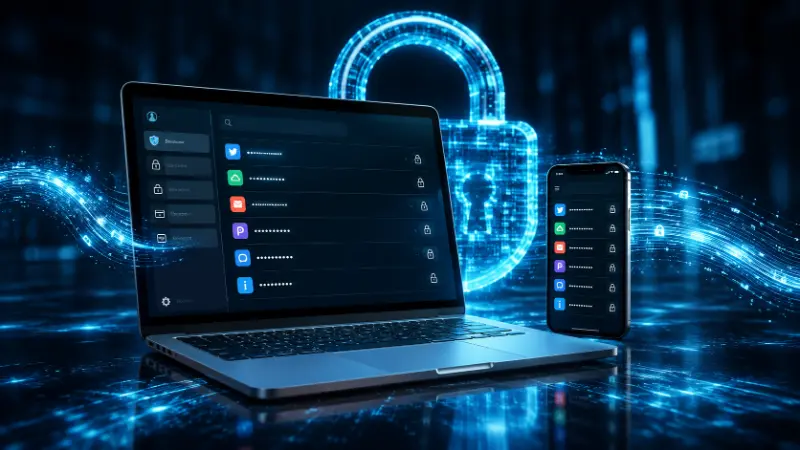
Same logic, same two winners: Bitwarden and Proton Pass, both offering unlimited devices and full biometric unlock through Android’s fingerprint and face recognition APIs. If you’re deeply inside the Google ecosystem already and only use Chrome and Android, Google Password Manager remains a genuinely reasonable default — just know you’re trading some cross-platform flexibility for convenience.
Best Free Password Manager for PC, and What Reddit Actually Says
This is worth covering directly because “reddit” shows up as its own search modifier, and for good reason — people specifically want the opinion that isn’t attached to an affiliate link.
Search r/developersIndia, r/PasswordManagers, or r/Bitwarden and the pattern repeats constantly: threads asking “what password manager do you actually use” get flooded with one-word answers pointing to Bitwarden, often phrased almost dismissively — “Bitwarden, no debate” is a genuinely common style of top comment. Another recurring thread pattern: people who switched after realizing their browser’s built-in manager wasn’t cutting it anymore, frequently after a breach scare, landing on Bitwarden or Proton Pass specifically because both are open source and can be independently verified rather than just trusted on faith.
One nuance worth noting from those same discussions: even committed privacy people will sometimes concede that Google Password Manager is “fine for the masses” as a baseline — the real dividing line in these threads isn’t Google-bad-everything-else-good, it’s “do you actually need cross-platform, auditable security, or are you fine with convenience.” That’s a more honest framing than most affiliate-driven top-10 lists give you.
The recurring complaint about Bitwarden across these same threads isn’t security — it’s that the interface feels more utilitarian than NordPass or Proton Pass. That’s a fair trade for what you get on the free tier.
Best Free Open Source Password Manager (and How to Actually Run One Offline)
Two real answers here depending on what “open source” means to you.
If you want open source with cloud convenience, Bitwarden is it — code is publicly auditable on GitHub, independently security-audited, and you even have the option to self-host your own vault server if you want full control over where your data physically lives.
If you want open source with zero cloud involvement whatsoever, KeePassXC is the standard answer, and has been for years. Your vault is a single encrypted file sitting on your device — no company server touches it, ever. The trade-off is that KeePassXC doesn’t have built-in sync, so if you want your vault on more than one device, you’re responsible for moving that file yourself. The most common approach in the KeePassXC community is running Syncthing, a free, open source, peer-to-peer sync tool that keeps the vault file updated across devices without routing it through any third-party cloud service at all. A Dropbox or Google Drive folder works too, if you’re comfortable with your encrypted (but still opaque) vault file sitting on a commercial cloud.
The honest downside: KeePassXC’s interface prioritizes function over friendliness, and setting up sync yourself is a genuine extra step most mainstream managers don’t require. If total control matters more to you than convenience, it’s worth it. If it doesn’t, Bitwarden gets you 90% of the “open source and auditable” benefit with a much smoother setup.
Passkeys: Where Free Plans Stand Right Now
Passkeys are cryptographic credentials that replace passwords entirely for supporting sites — your device authenticates you with Face ID, a fingerprint, or a PIN, and no secret ever gets transmitted or typed, which makes them meaningfully more phishing-resistant than even a strong password.
On free tiers specifically: Bitwarden, Proton Pass, and NordPass all support storing and syncing passkeys at no cost. Apple Passwords and Google Password Manager both handle passkeys natively as well, though only within their own ecosystems. If you’re specifically hunting for a “passkey-only” setup — some privacy-focused users are moving this direction deliberately — Bitwarden and Proton Pass are currently the most flexible free options, since they let you mix traditional passwords and passkeys in the same vault rather than forcing an all-or-nothing switch.
The LastPass Situation, Honestly
You’ll still see LastPass mentioned as a “leading free password manager” in a lot of older content and even in some current searches, mostly because of sheer name recognition built up over more than a decade. It’s worth understanding why that reputation hasn’t aged well.
LastPass disclosed a new security incident on June 22, 2026, after learning of it internally on June 12. This one originated through a third-party vendor called Klue, a market intelligence tool LastPass’s own sales team used internally. Attackers compromised Klue first, stole OAuth tokens tied to LastPass’s Salesforce environment, and used those tokens to access customer relationship data — names, email addresses, phone numbers, physical addresses, and support case histories. LastPass has stated that customer password vaults and master passwords were not affected by this specific incident.
That last point matters, and it’s fair to LastPass to say it clearly: your actual vault contents weren’t the target this time. But the pattern is the real issue. This is LastPass’s eighth disclosed security incident since 2011. The most serious one, back in 2022, did involve stolen vault backups, led to a £1.2 million fine from the UK’s Information Commissioner’s Office in late 2025, and a $24.5 million class-action settlement the same year. Security researchers have since tied cryptocurrency thefts to credentials cracked from that stolen 2022 vault data.
None of this means the 2026 incident is as severe as 2022 — it isn’t. But it’s a useful case study in exactly the kind of risk that matters when picking any password manager, free or paid: a company’s security culture and incident history tell you more than any single feature comparison. If a provider treats supply-chain vendor access to customer data casually enough that it’s happened repeatedly, that’s worth weighing against its brand recognition.
A Warning About “Free” Downloads That Aren’t What They Claim
This doesn’t show up in most guides, but it should, because “best free password manager download” is a genuinely common search, and it leads people to some legitimately sketchy places. Search results and social platforms occasionally surface tools marketed as free “password recovery” or “password cracker” software wrapped in password-manager branding — these are a different category of product entirely and can carry actual malware. A real password manager never needs to “crack” or “recover” passwords it didn’t generate and store itself; if a tool’s marketing leans on that language, treat it as a red flag. Stick to the official app stores or the provider’s own verified domain when downloading any of the tools mentioned in this guide.
Common Pain Points People Hit After Switching

These are the issues that don’t show up in a five-minute review but do show up once you’re actually using one of these day to day.
- Autofill breaking on certain sites — happens across every manager, free or paid, especially on banking portals with nonstandard login fields. No provider has fully solved this.
- Device-limit surprises — the single most common frustration in the Reddit threads referenced above. Someone picks NordPass or RoboForm, uses it happily on one device, then adds a second and discovers the free plan doesn’t support simultaneous logins.
- Master password recovery anxiety — with genuine zero-knowledge encryption, if you forget your master password and haven’t set up account recovery in advance, nobody, not even the company, can get your vault back.
- Import friction — moving saved logins out of your browser’s built-in manager into a dedicated one sometimes drops metadata like site icons or stored two-factor codes, requiring manual cleanup afterward.
- Upsell fatigue — a handful of “free” managers not featured as top picks here bury constant premium prompts throughout the interface, which matters more to day-to-day satisfaction than most reviews credit.
How to Choose the Best Free Password Manager 2026 Has for Your Setup
Three questions, in order:
- How many device types do you actually use day to day? More than one, rule out RoboForm’s and, if you switch devices constantly, NordPass’s free tier.
- Do you want cloud sync, or zero cloud involvement at all? Zero cloud, KeePassXC with Syncthing. Cloud with strong privacy, Proton Pass. Cloud with the widest device support and open-source transparency, Bitwarden.
- Do you want the smoothest possible interface even at the cost of some free-tier flexibility, or maximum free value even with a plainer interface? NordPass for the former, Bitwarden for the latter.
Frequently Asked Questions About the Best Free Password Manager 2026
What is the best free password manager in 2026?
Bitwarden, for most people, because its free plan supports unlimited passwords and unlimited simultaneous devices with no paywalled essentials. Proton Pass is the strongest alternative, particularly for privacy-focused users, offering the same unlimited-device flexibility plus free email aliases.
Is there a completely free password manager with no real limits?
Yes. Bitwarden and Proton Pass both offer unlimited passwords and unlimited devices at zero cost, with no forced upgrade for basic day-to-day use. Both are free forever, not disguised trials.
Is Google’s password manager just as safe as Bitwarden’s?
For most everyday threats, yes, Google Password Manager uses solid encryption. The meaningful difference is architectural: Bitwarden uses zero-knowledge encryption by default and is open source and independently audited, while Google’s on-device encryption is opt-in rather than automatic. If you use more than one device ecosystem, Bitwarden also offers far better cross-platform sync.
Why is LastPass still mentioned as a leading free password manager?
Mostly brand recognition built up over more than a decade, not current security standing. LastPass disclosed its eighth security incident since 2011 in June 2026, following a much more serious 2022 breach that led to regulatory fines and a class-action settlement. Its password vaults weren’t compromised in the 2026 incident, but the recurring pattern is worth weighing carefully against newer, more transparent alternatives.
What’s the best free password manager for iPhone?
Proton Pass and Bitwarden, both with full Face ID unlock and native iOS passkey support on their free tiers.
What’s the best free password manager for Android?
Bitwarden, followed closely by Proton Pass, both offering unlimited-device sync with full biometric unlock support.
What’s the best free open source password manager?
Bitwarden for cloud-synced open source with independent audits. KeePassXC for a fully offline, zero-cloud option where you control your own sync method.
Are free password managers actually safe to use?
Yes, from reputable providers. The free tiers of Bitwarden, Proton Pass, and NordPass all use the same encryption standard as their paid tiers — free plans typically restrict convenience features, not core security. Broadly, people who use any password manager are meaningfully less likely to experience credential theft than people who don’t; one recent survey found 17% of password manager users experienced identity theft in the past year, compared with 32% of people who don’t use one.
Why is it a problem to reuse the same password everywhere?
Because a single breach at any one site exposes that password everywhere else you used it. Attackers routinely test stolen credentials against other services automatically, a technique called credential stuffing. A unique password per account, generated and stored by a password manager, eliminates that specific risk entirely.
Which is better, 1Password or Dashlane?
1Password offers the more polished, feature-complete premium experience, but has no permanent free plan, only a 14-day trial. Dashlane no longer has a free plan at all as of September 16, 2025. If free access matters to you, neither is currently a fit — Bitwarden or Proton Pass are the better starting points.
What happens if I forget my master password?
With true zero-knowledge encryption, the company cannot reset or recover it for you, since they never had access to it in the first place. Setting up account recovery options or an emergency-access contact in advance is the only real safety net, and it’s worth doing the day you set up any password manager, not after you’ve already forgotten something.
Related: best VPN for beginners, secure your Wi-Fi, best Chrome extensions