
Best VPN for Beginners in 2026: The Ones That Actually Work (No Tech Skills Required)

Best VPN for Beginners in 2026 comes down to four names that consistently top real-world testing: ExpressVPN and NordVPN for pure simplicity, Surfshark for value and unlimited devices, and Proton VPN for a genuinely free option. If you’ve never used a VPN before, the search results alone are enough to make you give up before you start — every site claims to be “#1,” every list has different winners, and somewhere in there someone’s trying to explain “WireGuard vs OpenVPN” to a person who just wants their laptop to stop leaking data on airport Wi-Fi.
So here’s the short version first, then everything behind it.
Quick answer: ExpressVPN and NordVPN are the two most consistently recommended options for first-time users, because both connect with a single tap and don’t require you to touch a settings menu. Surfshark is the better pick if you’re on a budget or have a lot of devices to cover. Proton VPN is the one worth trying if you want to test a VPN for free before paying for anything.
If that’s all you needed, you’re set. If you want to know why, what to actually watch out for, and how to fix it when something doesn’t work, keep going — this covers the parts most guides skip.
Why VPNs Feel Harder Than They Should Be
Before picking a provider, it helps to name the actual problem, because it’s rarely “VPNs are too advanced for me.” It’s usually one of these:
- You installed one, saw a wall of settings — protocols, ports, encryption types — and had no idea which mattered
- It wouldn’t connect, or kept dropping, with an error message that explained nothing
- Speeds tanked and you didn’t know if that was normal or a sign something was broken
- A streaming service you were trying to unblock detected the VPN and blocked you anyway
- You tried a free VPN and it felt sketchy — slow, capped, or oddly aggressive with ads
- The price you saw during signup wasn’t the price you got charged at renewal
None of that means you’re bad with technology. It means most VPN content is written for people who already understand VPNs, not for people trying one for the first time.
What Actually Makes a VPN Beginner-Friendly
Every legitimate beginner pick shares the same traits:
- One-click connect. A single button that picks the best server for you automatically — no manual server-hunting required
- Sane defaults. The kill switch and a fast protocol are already turned on when you install it, not buried in a menu you’ll never find
- No jargon on the main screen. Advanced settings exist, but they’re tucked away, not front and center
- Real customer support. 24/7 live chat, not a ticket queue you wait two days for
- A genuine trial or refund window. You should be able to test it on your own devices and networks before committing
The Best VPNs for Beginners in 2026
ExpressVPN — Simplest App, Best Support
ExpressVPN’s whole design principle is “don’t make the user think.” Every platform — Windows, Mac, iOS, Android — has the same layout: a big power button, your server location underneath, and a clean settings menu you can safely ignore. Automatic protocol selection and the kill switch are on from the moment you install it. Support is 24/7 live chat, which matters a lot the first time something doesn’t work and you’re not sure why.
Best for: people who want to install it, tap connect, and never open the settings menu again. Also the strongest pick if you’re traveling to or living in a country with heavy internet restrictions (China, UAE, Russia), where its obfuscation tech has a stronger track record than most competitors.
NordVPN — Best “Set-and-Forget” Option
NordVPN is often described as the VPN you install once and never think about again. Open the app, hit Quick Connect, and it automatically links you to the fastest nearby server — no server list to dig through, no encryption settings to touch. It also bundles a built-in ad and malware blocker (Threat Protection), so you get some extra security without installing a second app. It has one of the largest server networks of any major provider, which helps with both speed and streaming access.
Best for: beginners who want strong all-around performance without ever needing to “graduate” to a more advanced VPN later — the advanced features are there if you eventually want them, but nothing forces you to learn them upfront.
Surfshark — Best Value, Unlimited Devices
Surfshark’s standout feature for beginners specifically: unlimited simultaneous device connections. One subscription covers your phone, laptop, tablet, smart TV, and everyone else in your house, on a single plan. The app itself is clean and beginner-friendly, if slightly less polished than the two above, and its 2-year plan is consistently the cheapest of the major providers.
Best for: budget-conscious beginners, families, or anyone with more devices than a typical VPN plan allows.
Proton VPN — Best Free Plan, Privacy-First
Most “free” VPNs are bait — capped data, throttled speed, or a business model built on selling your browsing data, which defeats the entire purpose. Proton VPN’s free tier is a genuine exception: no data cap, no ads, and a company reputation built specifically around privacy. It’s the one worth trying first if you’re not ready to pay for anything yet.
Best for: first-timers who want to test the water risk-free, or anyone who specifically cares about strict privacy over extra streaming features.
Quick Comparison
| Provider | Setup Difficulty | Free Option | Devices | Best For |
|---|---|---|---|---|
| ExpressVPN | Easiest | No (30-day refund) | 8 | Simplicity, censorship-heavy regions |
| NordVPN | Very easy | No (30-day refund) | 10 | All-around beginner pick |
| Surfshark | Easy | No (30-day refund) | Unlimited | Budget, multiple devices |
| Proton VPN | Easy | Yes, genuinely free | 10 | Testing before you pay, privacy focus |
Setting Up Your First VPN: What Actually Happens
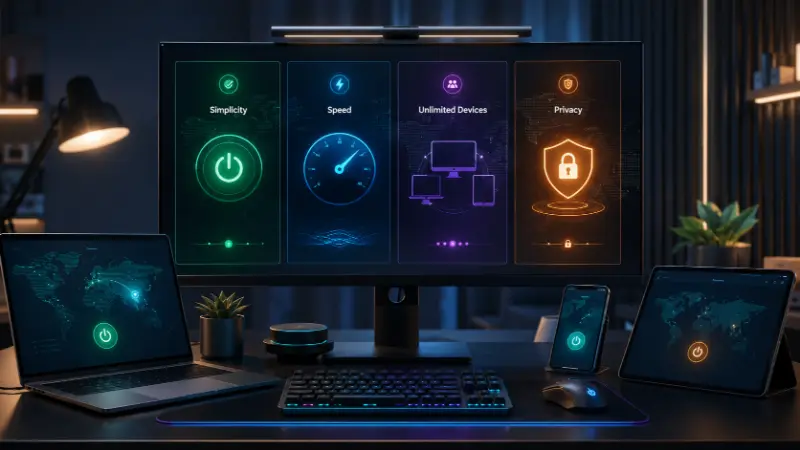
This is the part almost nobody shows you, so here’s the real first-five-minutes experience:
- Download and create an account. Every major provider above uses the same flow: download the app, sign up with an email, verify it.
- Open the app and look for one button. It’s usually labeled “Quick Connect,” “Connect,” or a power icon. That’s genuinely all you need to click.
- Wait a few seconds. A proper beginner-friendly VPN connects in under 10 seconds. If it’s stuck longer than 30, something’s wrong (see below).
- Check that it’s actually working. Search “what is my IP” before and after connecting. The number should change. This one step is skipped by almost every beginner and it’s the difference between assuming you’re protected and knowing you are.
- Leave it running in the background. You don’t need to reopen the app again unless you want to change locations.
That’s the entire process. There’s no manual configuration required with any of the four providers above.
Common Beginner Problems (And the Actual Fix)
“It won’t connect.” Usually one of three things: an unstable internet connection, a network that’s actively blocking VPN traffic (common on hotel, airport, or workplace Wi-Fi), or a temporary server issue. Try switching to a different server location first — that solves it more often than people expect.
“It keeps disconnecting.” This is often a protocol issue. Most apps auto-select the best one, but if you’re on a restrictive network, manually switching to a protocol built to disguise itself as regular web traffic usually fixes it. You don’t need to understand the technical difference — just know that if the default isn’t working, there’s almost always a fallback option in settings labeled something like “stealth” or “obfuscated.”
“My internet got a lot slower.” Some slowdown is normal — your data is being encrypted and routed through another server, so a small dip is expected. A large dip usually means you’re connected to a distant or overloaded server. Switch to the nearest available location, or use the “fastest server” auto-select feature instead of picking manually.
“A streaming service blocked me even though I’m connected.” Streaming platforms actively detect and block known VPN IP ranges. If one server gets flagged, switch to a different one in the same country — this is normal and even premium VPNs deal with it occasionally.
“The free VPN I tried felt off.” That instinct is usually right. Many free VPNs fund themselves by logging and selling your data, throttling your speed, or injecting ads — the opposite of what you installed a VPN for in the first place. If you want free, Proton VPN’s free tier is the one exception worth trusting.
Do You Even Need a VPN in 2026?
Genuinely, yes, if any of these apply to you:
- You regularly use public Wi-Fi — cafes, airports, hotels
- You want to keep your ISP, employer, or network operator from seeing which sites you visit
- You travel to or live in a country with content restrictions
- You want to game on regional servers with lower ping, or avoid exposing your IP in competitive lobbies
- You want to access a show or library that’s only available in another country
You probably don’t need one urgently if you only browse casually at home and privacy isn’t a personal concern — but given how cheap a good plan is (often $2–3/month on longer terms), most people find it’s a small cost for real peace of mind.
A Note on Trust: Why “Which VPN to Avoid” Comes Up So Often

If you’ve searched around, you’ve probably seen people asking why certain VPNs get criticized despite being popular. A few things worth knowing before you commit to any provider, not just the ones listed here:
- Check who owns it. Several major VPNs have been acquired by larger holding companies over the years. That’s not automatically a red flag, but it’s worth knowing, and a transparent provider will disclose it rather than hide it.
- Look for an independently audited no-logs policy, not just a claim on the homepage. A provider that’s had its no-logs policy verified by an outside security firm is a meaningfully stronger signal than marketing copy alone.
- A VPN can’t make you completely untraceable. It hides your browsing from your ISP and changes your visible IP address, but it doesn’t make you anonymous to every possible party — if you log into personal accounts while connected, or if there’s a legal order involved, a VPN alone isn’t absolute protection. Treat it as one solid layer of privacy, not a cloak of invisibility.
Frequently Asked Questions
What is the best VPN for a complete beginner?
ExpressVPN and NordVPN are the two most consistently recommended for beginners, since both connect automatically with sensible default settings and need no manual configuration.
Is it worth having a VPN in 2026?
Yes, for most people. Given how cheap long-term plans have become and how much routine browsing happens over public or shared networks, a VPN is a low-cost way to add a real layer of privacy.
Is a free VPN good enough for beginners?
Most free VPNs cap your data, slow your speeds, or log more activity than a paid provider would. Proton VPN’s free plan is a genuine exception. For daily use, a low-cost paid plan is generally the safer and more reliable choice.
Why does my VPN keep disconnecting?
Usually an unstable connection, a blocked protocol on your current network, or an overloaded server. Switching servers or trying an alternate protocol in the app’s settings resolves this in most cases.
Do VPNs slow down your internet?
Yes, slightly — your traffic is being encrypted and routed through another server, so some overhead is normal. On a nearby server with a good provider, the difference is usually small enough that you won’t notice it during everyday browsing or streaming.
Can the FBI or other authorities track a VPN?
A reputable, no-logs VPN doesn’t retain records of your activity, so there’s typically nothing to hand over even under legal pressure. That said, no VPN provides absolute anonymity — it protects your traffic and hides your IP from most observers, but it isn’t a guarantee against every form of tracking, especially if you’re logged into personal accounts.
Why do some people say to avoid certain popular VPNs?
It usually comes down to ownership changes, past security incidents, or unaudited privacy claims. None of that automatically means a provider is unsafe, but it’s worth knowing who owns the company and whether their no-logs policy has been independently verified before you commit.
Are VPNs legal?
Yes, in the vast majority of countries, including the US, UK, most of Europe, Canada, and Australia. A small number of countries — China, Russia, Iran, and North Korea among them — restrict or ban VPN use, so check local law if you’re traveling somewhere with tighter internet controls.
Which VPN is best for beginners on a phone?
All four providers above have mobile apps that work identically to their desktop versions — download, sign in, tap connect. Surfshark’s unlimited-device plan is worth a look if you’re also covering a tablet or a second phone on the same account.
What’s the difference between a VPN and just using SmartDNS for streaming?
SmartDNS can unblock some regional content without the encryption overhead of a VPN, but it doesn’t hide your IP address or protect your traffic on public Wi-Fi. If privacy is any part of why you want a VPN, SmartDNS alone isn’t a substitute.
Related: secure your Wi-Fi network, best free password manager, best Chrome extensions