
Best Laptops for Students in 2026: Under $500 and Under $1000 (What Actually Holds Up)

If you only read one paragraph: for under $500, the Acer Aspire 3 (A315-24P) is the safest all-around pick thanks to its AMD Ryzen chip and long battery life, and the Apple MacBook Neo is worth the stretch if you can catch it near its education price. For under $1000, the ASUS Zenbook A14 wins on battery life and weight, and the Apple MacBook Air M4 is the safest single recommendation for a student who wants one laptop to survive all four years. Below is the full reasoning, the trade-offs nobody tells you about, and the specific problems that make students regret a laptop purchase by midterms.
How we put this list together
We’re not a lab-testing outlet with a bench of review units, and we’re not going to pretend otherwise — that’s the kind of false authority that makes a “best of” post untrustworthy. What we did instead: cross-referenced current retailer listings and verified pricing (Walmart, Best Buy, Target, and manufacturer sites), pulled review-count and star-rating data where it’s publicly available, checked what independent testing outlets (Tom’s Guide, RTINGS, PCMag) have measured on battery life and performance, and read through what students themselves are actually asking in places like r/SuggestALaptop, r/laptops, and r/AMDLaptops — because that’s where the real complaints and dealbreakers show up, not in a spec sheet.
Every price below is what we observed in mid-August 2026. Laptop pricing is moving fast this year for reasons we’ll explain, so treat prices as a snapshot, not a promise.
Best laptops for students under $500
Acer Aspire 3 (A315-24P) — best overall value
Seen around $345–$376 depending on retailer (Walmart has run it as low as $345.99).
- AMD Ryzen 5 7520U
- 8GB RAM, 256GB SSD
- 15.6″ Full HD IPS display
- Rated 3.5 stars across early reviews — solid, not flashy
This is the laptop most “best under $500” guides converge on for a reason: it doesn’t cut corners on the parts that matter for actual coursework. The Ryzen chip handles multitasking noticeably better than the low-power Celeron and N-series chips that dominate this price bracket, and the battery holds up through a full day of classes. The trade-off is a plastic chassis and a middling 720p webcam — expect it to look and feel like a $350 laptop, because it is one.
Apple MacBook Neo — best laptop for students under $500 (if you catch the price)
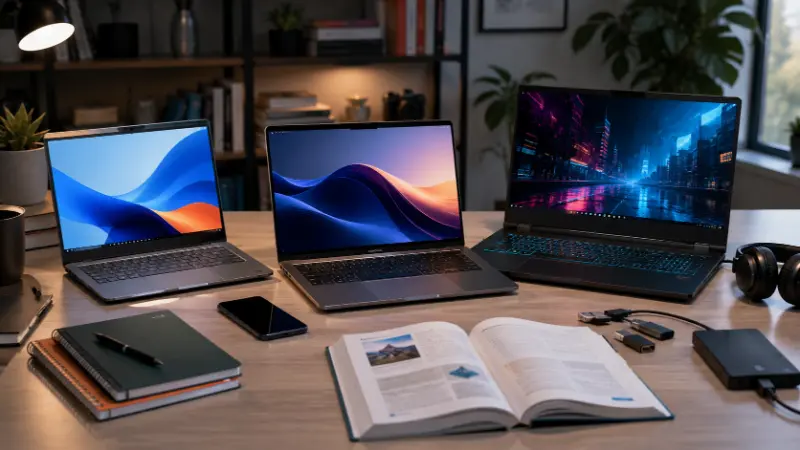
Apple’s cheapest-ever Mac, officially $599 or $499 with the education discount.
This is the one exception worth planning around. Powered by the A18 Pro chip, it runs macOS properly — full app compatibility, Apple Intelligence built in, silent fanless operation — in an aluminum body that doesn’t look or feel like a budget device. Battery life tested around 13+ hours. The catch: only 8GB of unified memory and USB-C ports that run at USB 2 speeds, not USB 3, which matters if you ever want to plug in an external drive quickly. If your school offers the education price and you can stay right at or under $500, this beats every Windows machine in this bracket on build quality and longevity alone.
Lenovo Flex 5i Chromebook Plus — best 2-in-1 under $500
Seen around $350–$450 depending on retailer.
Intel Core i3-1315U, 8GB RAM, 128GB storage, 14″ FHD+ touchscreen with a 360° hinge and an included stylus. If your coursework leans toward note-taking by hand or annotating PDFs, this is the only laptop on this list built specifically for that. It’s ChromeOS, so read the Windows-vs-ChromeOS section below before you commit.
ASUS Vivobook 15 — solid everyday Windows pick
Intel Core processor, 15.6″ display, currently carrying early perfect review scores from a small sample size. A dependable, unremarkable Windows laptop — which, at this price, is a compliment.
HP 15.6″ (Intel Core i3-N305) — best battery-efficiency pick
One of the most-reviewed laptops in this bracket, holding a 4.6-star average across nearly 1,000 reviews. The N305 is an 8-core “efficiency” chip — it won’t win benchmark contests against a Ryzen 5, but it sips power, which is why this model consistently gets praised for all-day battery life in real reviews rather than lab tests.
Budget honorable mentions actually worth knowing about
A few more names show up constantly across current retailer listings and are worth naming specifically rather than lumping into “etc.”:
- Acer Aspire Lite 15 — around $312–$440, 4.6 stars, a step down in specs from the Aspire 3 but reliably cheap
- ASUS Vivobook Go 14 (Celeron N4500) — around $223–$275, 4.4 stars, one of the lightest options here
- Acer Chromebook 315 (Intel N50) — around $239, 4.0 stars, the cheapest legitimate ChromeOS option in this list
- HP Stream 14 (Celeron N4120) — around $240–$500 depending on sale — genuinely the entry point if your budget is closer to $250, but don’t expect it to handle more than browsing and writing
What those processor names actually mean (decode this before you buy)

Every listing above throws a different chip name at you — Ryzen 5, Core i3, N305, N150, N200, N4500 — and almost none of the guides ranking for these keywords explain what the difference actually feels like day to day. Here’s the plain version:
- AMD Ryzen 3 / Ryzen 5 (7000-series or newer) — the strongest all-around performance in this price bracket. Best choice if you’ll run more than a browser: coding environments, Canva, multiple apps open at once.
- Intel Core i3 / i5 (standard U-series) — comparable to Ryzen, slightly better single-app responsiveness, slightly worse multitasking.
- Intel N-series (N150, N200, N305, N4500, etc.) — these are Intel’s low-power “efficiency” chips, not full Core processors, even though the naming makes them sound similar. They prioritize battery life and low heat over raw speed. Fine for browsing, Google Docs, and video calls. They will visibly bog down with heavy multitasking, several IDE windows open, or anything resource-heavy running in the background. If a $300 listing brags about an “octa-core” processor, check whether it’s actually an N-series chip before assuming it performs like a real 8-core Ryzen — the core count is the same word doing two very different jobs.
If you see “16GB RAM” advertised at an unusually low price point on an N-series chip, that’s not a red flag on its own, but it does mean the RAM is doing more of the heavy lifting than the CPU — good for having many tabs open, still limited for actual processing-heavy work.
Windows, ChromeOS, or macOS — the decision that actually matters more than the CPU
This is the single most common source of buyer’s remorse across every Reddit thread and review comment section we read, and it’s the one question worth answering honestly before you look at a single spec sheet.
- Choose Windows if: your program requires desktop-only software (engineering, architecture, finance, most computer science coursework beyond intro classes), you need full Microsoft Office desktop apps rather than the web versions, or you’ll be printing and connecting peripherals regularly.
- Choose ChromeOS if: your coursework is genuinely browser-based — Google Docs, web research, streaming lectures, video calls — and you want the longest battery life and least maintenance for the least money. ChromeOS laptops routinely outlast Windows machines at the same price because the OS carries almost no overhead.
- Choose macOS if: you can afford it and want the best combination of battery life, build quality, and reliability over four years, and nothing in your program locks you into Windows-only tools.
The recurring regret pattern in student forums is almost always the same story: someone buys a cheap Chromebook, it’s great for the first semester of gen-eds, and then a required course drops a Windows-only tool on them in year two with no warning. Check your specific program’s software requirements — not just “my major” in general — before you buy.
Best laptops for students under $1000
At this price point you’re not just buying more speed — you’re buying the things that wear a student down slowly over four years of daily use: real battery chemistry, a keyboard that doesn’t fatigue your hands during finals week, and a screen that doesn’t strain your eyes during a three-hour study session.
- ASUS Zenbook A14 (~$699) — the best battery-to-weight ratio of anything on this list; built around a low-power chip tuned specifically for all-day use over raw speed, which is the right trade for someone in back-to-back classes.
- Apple MacBook Air M4 (~$849) — the safest general-purpose pick. 16GB of unified memory as the base configuration now (a real jump from the M2/M3 era), near-silent operation, and efficiency that still beats most Intel/AMD i5-class competitors in everyday multitasking.
- Acer Swift Go 14 (~$799) — the most balanced value pick if you want Windows without compromise.
- Acer Nitro V (~$950–$999) — the only laptop on this entire list that can also run modern games or GPU-heavy coursework (CAD, machine learning, video rendering) thanks to its RTX 4050. More on this below.
What about gaming on a student budget?
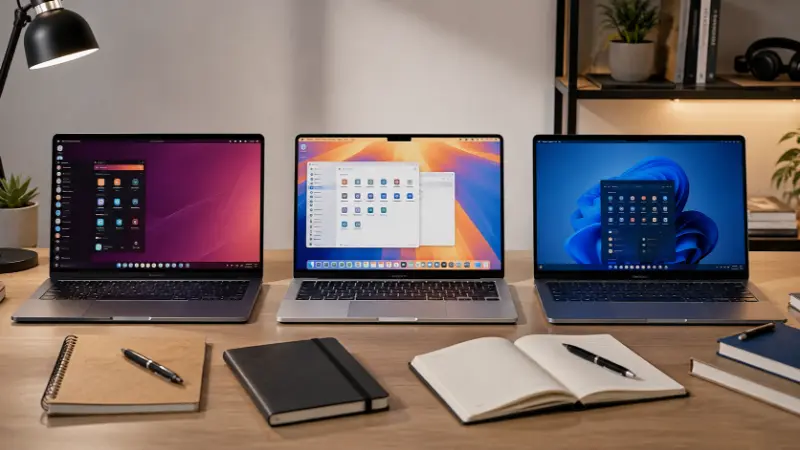
This question comes up constantly — “best gaming laptop under $500,” “budget laptop for gaming and basic use” — and the honest answer nobody wants to give is: a real gaming laptop doesn’t exist under $500 in 2026. Every laptop on that list runs on integrated graphics. You can play older or lightweight titles (Valorant on low settings, most indie games, older esports titles), but modern AAA gaming needs a dedicated GPU, and that starts showing up meaningfully around the $900–$1000 mark with something like the Acer Nitro V’s RTX 4050.
If gaming matters to you and your budget is genuinely capped under $500, the more honest paths are: buy the best CPU-focused laptop you can (the Ryzen-based Aspire 3, not an N-series Chromebook) and lean on cloud gaming services for anything demanding, or save toward the $1000 tier where the Nitro V actually delivers.
Why laptop prices have been unpredictable all year
If you’ve noticed prices jumping around on the same model week to week — that’s not your imagination, and it’s not just holiday pricing. A global shortage of DRAM and NAND memory chips, driven largely by AI data centers buying up the same memory supply that goes into consumer laptops, has pushed component costs up sharply through 2026. Major manufacturers have warned of price increases in the 15–30% range on new models, and some brands are quietly trimming RAM or storage specs at the same price point instead of raising the sticker price outright.
Practically, this means two things for you as a buyer: check the exact RAM and storage configuration on the specific listing, not just the model name, since two units with the same name can now differ; and if you find a configuration that meets your needs at a fair price, that’s a better reason to buy now than to wait for a hypothetical discount, since the trend this year has run upward.
Software compatibility by major (the gap most guides skip)

“Check if your software runs on it” is useless advice without naming the software. Here’s what actually trips students up by field:
- Engineering / CAD: AutoCAD, SolidWorks, and MATLAB are Windows-only (or require heavy workarounds on Mac/Chromebook). Don’t buy a Chromebook for this track.
- Nursing / health sciences: Simulation and clinical software packages are almost universally Windows-only.
- Business / finance: Advanced Excel work (large linked workbooks, VBA macros, certain plugins) performs and behaves differently on Mac than Windows — if your program is Excel-heavy with macros, Windows is the safer default.
- Design / creative: Full Adobe Creative Cloud runs on both Windows and Mac, but Mac remains the more common recommendation for color accuracy and thermal consistency during longer render/export sessions.
- Computer science (intro-level): Browser-based coursework and most intro coding (Python, web dev) runs fine on any OS, including ChromeOS with a Linux container enabled. Upper-level CS — virtual machines, certain compilers, game dev engines — increasingly needs Windows or Mac, not ChromeOS.
The pain points that actually make students regret their laptop
Pulled from what shows up repeatedly in reviews and forum threads, not guesswork:
- The webcam is worse than you’d expect. Several well-reviewed budget laptops still ship with 720p webcams that look noticeably worse than a phone camera — a bigger daily annoyance now that office hours, interviews, and group calls are routine.
- Battery claims are optimistic. Manufacturer-stated battery life and real-world battery life are two different numbers. Favor laptops with independently tested figures over marketing claims, especially if you have back-to-back classes with no charging window.
- 256GB fills up faster than people expect. Between offline lecture recordings, course software, and normal app bloat, 256GB is tight by year two. 512GB is worth the upgrade if your budget allows it.
- A Chromebook bought for “basic stuff” becomes a liability when a required course drops Windows-only software on you — already covered above, but it’s the single most common regret pattern in student-specific threads.
- Weight matters more than people budget for. Anything over roughly 4 lbs becomes a genuine daily annoyance once it’s living in a backpack with textbooks.
How to get a real second opinion before you buy

If you’re still not sure, communities like r/SuggestALaptop on Reddit are genuinely useful — but only if you ask the question the way the community actually needs it answered. The pattern that gets useful replies (and the one that gets ignored) is consistent:
- State your total budget and your country (prices and available models differ significantly outside the US)
- Say specifically what you’ll use it for — “writing papers and browsing” gets a very different answer than “engineering coursework and light gaming”
- Mention your major or field if it’s software-specific
- Ask about Windows vs. Mac vs. Chromebook explicitly if you’re unsure, rather than assuming
Vague posts like “what’s the best laptop under $500?” with no other context get generic, unhelpful answers — you’ll notice the more detailed threads consistently get better, more specific replies.
Frequently asked questions
What is the best laptop under $500 for a student?
For most students, the Acer Aspire 3 (A315-24P) offers the strongest balance of performance and battery life. If you can catch it near its $499 education price, the Apple MacBook Neo is a stronger pick for build quality and longevity, with the trade-off of only 8GB of memory.
Are $500 laptops actually worth buying, or should I save up?
Yes, for most coursework — browsing, writing, video calls, light multitasking — a well-chosen $500 laptop with a proper Ryzen or Core i5 chip handles daily student work fine. The exception is anything requiring dedicated graphics (serious gaming, video editing, CAD) or heavy multitasking, where stepping up toward $1000 makes a real difference.
Is the MacBook Neo good for students and beginners?
Yes — it runs full macOS, has strong battery life, and looks and feels far more premium than its price suggests. The main limitations are 8GB of unified memory (fine for coursework, tight if you multitask heavily) and USB-C ports limited to USB 2 speeds.
What’s the best laptop under $500 for programming students?
Prioritize RAM and a real CPU over storage at this price — the Acer Aspire 3’s Ryzen 5 chip handles running an IDE, a browser, and a terminal simultaneously better than any N-series Chromebook. For anything beyond intro coursework (virtual machines, heavier compilers), you’ll outgrow this price tier and should look toward the $1000 bracket.
Is there a good gaming laptop under $500?
Not really — every laptop at this price uses integrated graphics, so modern games won’t run well. You can play light or older titles, but for real gaming performance you need to look closer to $1000, where GPU-equipped models like the Acer Nitro V start appearing.
Should I buy Windows or ChromeOS for college?
Choose ChromeOS if your coursework is mostly browser-based and you want the best battery life for the money. Choose Windows if your major requires specific desktop software — check your program’s actual software list before deciding, since this is the single biggest source of buyer’s remorse among students.
Why do laptop prices keep changing right now?
A global DRAM and NAND memory chip shortage, driven largely by AI data center demand, has pushed component costs up through 2026, leading manufacturers to raise prices or quietly reduce RAM/storage specs on new models. Expect price volatility to continue through the rest of the year.
How much RAM do I actually need as a student?
8GB is the realistic floor for comfortable multitasking in 2026. 16GB is strongly worth the extra cost if your budget allows it, especially for STEM majors or anyone regularly running multiple heavy apps or browser tabs at once.