
How to Protect Your Privacy Online in 2026 (A Realistic Guide for Gamers and Everyone Else)

Quick answer: the fastest way to protect your privacy online is to lock down your accounts with a password manager and two-factor authentication, stop giving out your real name and location in gaming and social profiles, use a VPN on networks you don’t control, and check what data brokers already have on you. None of that makes you invisible. It makes you a much harder target, which is the actual, achievable goal.
If you searched for this because you feel a little overwhelmed by the whole topic, you’re not imagining it. A lot of people feel that way — surveys have found most people are worn out just by the number of passwords they’re supposed to track, and a majority aren’t even convinced their privacy efforts change anything. That reaction is reasonable. Total online privacy isn’t realistic for someone who also wants to use a smartphone, play multiplayer games, and shop online. What’s realistic is reducing your exposure enough that you’re not the easy target in the room.
This guide covers the fundamentals everyone needs, plus the risks specific to gamers and streamers that most privacy guides never mention — because your gamertag, your voice in a Discord call, and your IP address in a peer-to-peer match are exposure points a generic “clear your cookies” article was never written for.
Start with a threat model, not a checklist
Before you touch a single setting, ask one question: who, specifically, are you protecting your privacy from?
Privacy communities call this a threat model, and it matters more than any individual tool. Protecting yourself from advertisers is a different job than protecting yourself from a stalker, an abusive ex, or someone trying to dox you after a heated match. A VPN that hides your IP from ad networks does nothing to stop someone screen-recording your stream and reverse-image-searching your background.
Ask yourself:
- Who would want my information, and why?
- What’s the actual worst case if they got it — spam, or something more serious like harassment or swatting?
- What am I already doing that leaks information without me realizing it?
You don’t need a written document. You need five minutes of honest thinking before you start changing settings, because it tells you where to spend your effort first.
Accounts and passwords: fix this first

Account takeover is still the most common way private information gets exposed — not a sophisticated hack, but a password reused from some site that got breached three years ago.
Use a password manager. Bitwarden and 1Password are the two most commonly recommended options, and both let you generate and store a unique, long password for every account without having to remember any of them yourself. You only remember one master password. This single habit change does more for your privacy than almost anything else on this list.
Turn on two-factor authentication (2FA), also called two-step verification. Prioritize your email first — it’s the master key that can reset every other account you own — then gaming platforms, banking, and Discord. Use an authenticator app rather than SMS codes where you can; SMS-based 2FA can be intercepted through SIM-swapping, where someone tricks your carrier into moving your number to their device.
Is it safe to trust a password manager with everything? This comes up constantly, and the honest answer is: reputable password managers encrypt your data locally before it ever reaches their servers, meaning even the company itself can’t read your stored passwords. The realistic risk of using one is far lower than the near-certain risk of reusing the same three passwords across forty accounts, which is what most people do without a manager.
Close accounts you no longer use. Every dormant account — an old forum, a game you stopped playing five years ago, a service you signed up for once — is a door that doesn’t need to exist. Search your email inbox for old “welcome to” or “confirm your account” messages to find things you’ve forgotten about.
Email privacy: the account that protects everything else
Your email is the recovery point for almost every other account you have, which makes it the highest-value target and the one most worth securing properly.
- Use a separate email for gaming and sign-ups, not the one tied to your real name, banking, or work.
- Turn on 2FA on your primary email specifically — this is non-negotiable given how much resets flow through it.
- Be suspicious of unexpected password reset emails. If you get one you didn’t request, it usually means someone has your email address and is trying accounts, not that you’ve already been compromised.
- Avoid logging into unrelated sites and games using “Sign in with Google” or “Sign in with Facebook” unless you’re comfortable with that platform seeing more about your activity elsewhere.
Is texting private? SMS and messaging security

This gets asked constantly and the honest answer surprises people: standard SMS text messages are not encrypted end-to-end. Your carrier can technically see message metadata, and SMS was never built with privacy as a design goal.
A few things worth knowing:
Can your employer read your texts on their WiFi? On a company network, they can potentially see metadata about your connections (which apps and services you’re reaching), but standard SMS itself travels over the cellular network, not WiFi, so company WiFi alone doesn’t expose text content. What they can see is more about your data usage patterns than message contents.
Is there a more private way to message people? Apps that use genuine end-to-end encryption — where only sender and recipient can read the message, not even the app provider — are more private than SMS. This matters more for sensitive conversations than for casual chat, but it’s worth knowing the difference exists.
Watch for smishing (SMS phishing). Fake “your account has been locked” or “verify your delivery” texts trying to get you to click a malicious link are extremely common, and they work the same way phishing emails do. Never tap a link in an unexpected text claiming urgency — go to the actual site or app directly instead.
For gamers specifically: verification codes for game accounts (Steam Guard, Xbox, PlayStation) often arrive by SMS. If your phone number is publicly known or easy to guess, it’s an entry point for account theft via SIM-swapping — a reason to prefer an authenticator app for account security codes wherever the platform supports it.
Browser and search privacy
Your browser is leaking information by default unless you tell it not to.
- Switch to a privacy-respecting browser. Firefox and Brave block a meaningful amount of third-party tracking out of the box; Chrome requires you to go find the settings yourself.
- Try a private search engine like DuckDuckGo, which doesn’t build an ad profile from your search history the way major search engines do.
- Block third-party cookies in your browser’s privacy settings — this is the single biggest lever against being tracked across different sites.
- Add a tracker blocker. uBlock Origin is widely recommended in privacy communities specifically because it blocks a broad range of trackers and malicious scripts, not just ads.
A quick myth to clear up: private/incognito browsing does not make you anonymous online. It stops your device from saving local history and cookies — useful on a shared computer — but your internet provider and the websites you visit can still see your activity and IP address. If you want to hide your IP and encrypt your traffic, that’s what a VPN is for, not incognito mode.
Does a VPN make me fully untraceable? No, and be skeptical of anything claiming it does. A VPN masks your IP address and encrypts your traffic between your device and the VPN server, which is genuinely useful on public WiFi, for gaming sessions where opponents can otherwise see your IP, or for keeping your ISP from logging your browsing. It doesn’t hide what you type into forms, what you say in voice chat, or your activity once you’re logged into an account with your real identity attached.
Social media, doxxing, and streaming risk
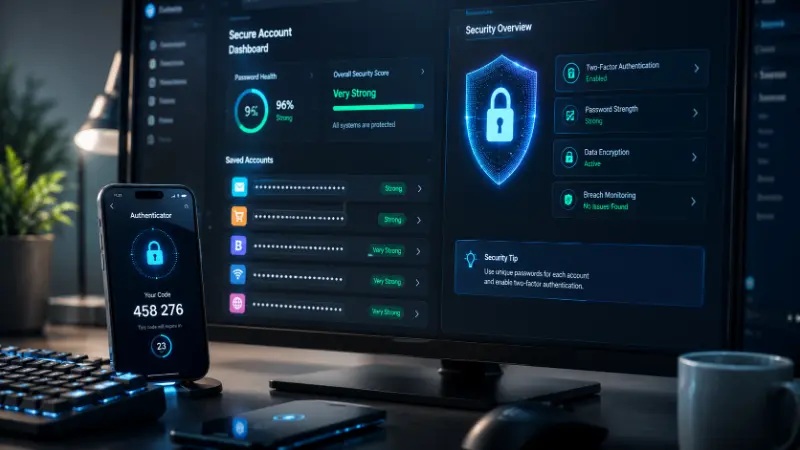
This is the section most general privacy guides skip entirely, and it’s where gamers face real, documented risk that “adjust your Facebook settings” advice doesn’t cover.
- Remove your real name, address, school, and employer from public gaming and social profiles. Use a separate, non-identifying display name for gaming.
- Review who can see old posts and tighten default sharing settings — most platforms default to more public than you’d expect.
- Be careful what’s visible during streams or screen shares. Mail with your address on it, a school uniform, a visible street sign, or even a reflection in a window has been used to identify streamers before.
- Never share your address for prizes, meetups, or “verification,” even from people who seem trustworthy inside a community you trust.
- If you’re already being targeted or threatened, document everything with screenshots and timestamps, report to the platform, and involve local authorities for direct threats. This isn’t something to try to handle alone.
Search your own name periodically. This is the simplest way to see what the internet actually knows about you, and it’s the first step toward requesting removal of anything you don’t want public.
Shopping privacy: virtual cards and your payment info
Every game purchase, subscription, and in-game transaction is a data point tied to your real card number sitting on someone else’s server, waiting for the next breach.
Virtual or “burner” cards — services like Privacy.com generate a unique card number for each merchant or each purchase, linked to your real account but never exposing your actual card number to the store itself. If that merchant gets breached, your real card is untouched, and you can shut off the virtual card instantly.
This is genuinely useful for gaming specifically: marketplaces, key resellers, and smaller storefronts selling skins or in-game currency are exactly the kind of merchant where you don’t want your real card number stored long-term.
Beyond virtual cards:
- Check for the padlock/HTTPS indicator and a legitimate-looking URL before entering payment details anywhere.
- Avoid saving your card directly in every storefront you use once — the more places your card lives, the more breach exposure you’re carrying.
- Use your card provider’s transaction alerts so you find out about unauthorized charges within minutes, not weeks.
Identity theft and data brokers
Data brokers are companies that compile and sell personal information — name, address, age, relatives, estimated income — often without you ever directly interacting with them. This is the fuel behind spam calls, targeted phishing, and doxxing.
- Search your name and see which people-search or broker sites list you.
- Submit opt-out/removal requests directly to the sites that carry your information — it’s tedious but free.
- Consider a paid removal service if you don’t have time to do it manually; they handle the repeated requests and monitor for your data reappearing.
- Freeze your credit with the major bureaus if you’re specifically worried about identity theft opening accounts in your name — this is a stronger step than most general privacy advice mentions, and it’s free to do.
The AI layer: what’s new in 2026
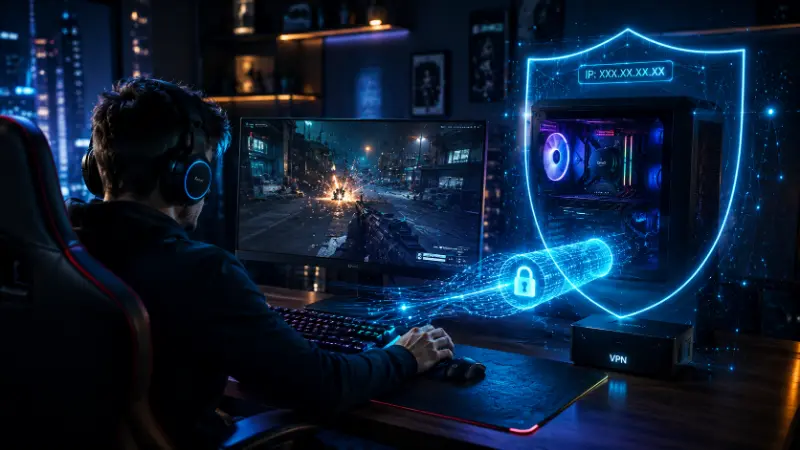
This is the part most privacy guides haven’t caught up to yet. AI tools — chatbots, AI-powered browsers, in-game AI companions — routinely log your IP address and query/conversation history the same way a search engine does, sometimes with less transparency about retention.
- Check the privacy settings of any AI chatbot or assistant you use regularly — most now offer some control over whether your conversations are used for training.
- A VPN affects what an AI service sees about your IP and general location the same way it does for any other site, though it does nothing to change what you’ve typed into the conversation itself.
- Be as cautious about what personal details you share with an AI chatbot as you would with any other web service — treat it as a service collecting data, not a private notebook.
Gaming platform privacy settings
The section every other guide skips. A few minutes on each platform closes real exposure:
Discord: set who can add you as a friend and who can DM you to friends-only, turn off activity status if you don’t want servers seeing what you’re playing, and treat anything said in a large public voice channel as effectively public.
Steam: enable Steam Guard (their 2FA), set your profile and friends list to private or friends-only, and review third-party site connections periodically.
Xbox and PlayStation: use the built-in privacy settings to control who can see your real name, who can message you, and whether your online status is visible to anyone or just friends.
Across all of them: revoke microphone and camera permissions for games and companion apps that don’t actually need them, and don’t link accounts (Steam to Facebook, Discord to Twitter) unless you’re comfortable with data flowing both directions.
What to do if you’ve been compromised
If you suspect an account’s been hacked or your information has leaked:
- Change the password immediately and enable 2FA if it wasn’t already on.
- Sign out of that account on all devices, not just the one in front of you.
- Check any accounts linked to the compromised one — a hacked email can cascade into everything tied to it.
- Remove saved payment details from the compromised account.
- Watch your bank and card statements for unfamiliar charges over the following weeks, not just days.
- If it’s harassment, doxxing, or a direct threat rather than just account theft, report it to the platform and, for direct threats, to local authorities — document everything first.
Fast-track checklist
If you only do five things this week:
- Install a password manager and start with your email, bank, and gaming accounts.
- Turn on 2FA on your email first, then everything else.
- Strip real personal details out of public gaming and social profiles.
- Install a tracker-blocking extension and switch your default search engine.
- Search your own name and see what’s actually out there about you.
Frequently asked questions
What is the best way to protect my privacy online?
Start with the highest-leverage moves: a password manager, 2FA on your email and other key accounts, and removing real personal details from public profiles. These three address the most common ways people actually get exposed, before you worry about smaller settings.
How do I make myself unsearchable online?
You can’t make yourself fully unsearchable, but you can significantly reduce what comes up by removing personal details from public profiles, opting out of data broker sites that list you, deleting unused old accounts, and using a non-identifying display name for gaming and social platforms.
Is it possible to have complete privacy online?
No, not realistically, if you want to also use a phone, browse the internet, and play online games. The honest goal is reducing your exposure and making yourself a harder target, not achieving total invisibility.
Are text messages actually secure?
Standard SMS text messages aren’t end-to-end encrypted, meaning they don’t have the same privacy protection as messaging apps that specifically use end-to-end encryption. For sensitive conversations, an encrypted messaging app offers more protection than SMS.
How safe and trustworthy are password managers?
Reputable password managers encrypt your stored data locally, so even the company can’t read your passwords. The realistic risk of using one is much lower than the near-guaranteed risk of reusing passwords across multiple accounts, which is the most common cause of account takeover.
What’s an underrated way to protect your online privacy?
Building a threat model — a five-minute assessment of who specifically you’re protecting your information from — before changing any settings. It tells you where to actually focus, instead of randomly toggling privacy settings that may not address your real risk.
Can online privacy services actually help prevent identity theft?
Data broker removal services and credit freezes both reduce real, specific attack surfaces — removal services cut down what’s publicly findable about you, and a credit freeze stops new accounts being opened in your name. Neither is a complete solution on its own, but both meaningfully reduce risk.
Does a VPN protect my privacy while gaming?
A VPN hides your IP address and encrypts your connection, which is useful on public WiFi, in peer-to-peer games where opponents can otherwise see your IP, and while streaming. It doesn’t hide your voice chat, your in-game behavior, or anything you type while logged into an account tied to your identity.
The bottom line
Online privacy isn’t a setting you toggle once — it’s account security, message and email habits, what you share on gaming and social profiles, and how much of your real identity is attached to your gamer identity, all working together. Start with a password manager and 2FA this week, tighten your gaming and social