
What Is Two-Factor Authentication (2FA)? A Complete Guide for Gamers in 2026

Two-factor authentication (2FA) is a login process that asks for two different pieces of proof before letting you into an account — usually your password plus a one-time code from your phone. If someone steals your password, they still can’t get in, because they don’t have that second piece. It’s also called two-step verification, dual authentication, or 2-factor auth, and it’s the single most effective thing you can do to stop your Steam, Epic, PlayStation, Xbox, or Riot account from getting hijacked.
That’s the short version. Here’s everything else you actually need to know — including why gamers specifically get targeted more than most other account holders, what happens when 2FA fails (it does, sometimes), and exactly how to turn it on for every major platform.
What Is Two-Factor Authentication?
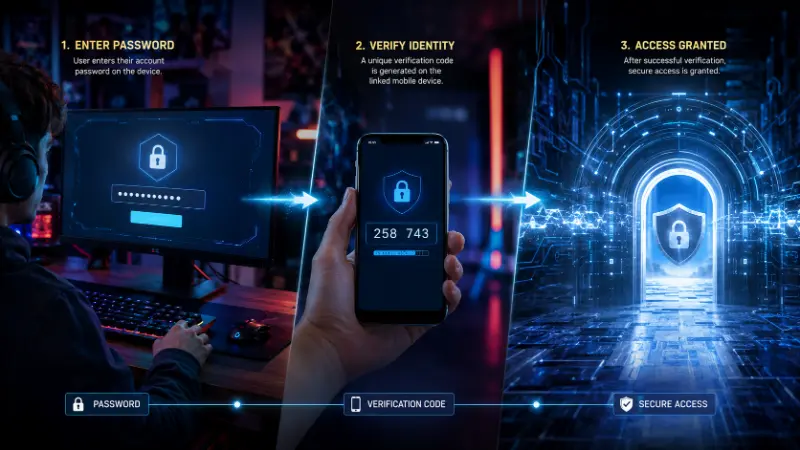
Authentication is just the process a service uses to check that you’re really you. Normally that means one factor: your password. Two-factor authentication adds a second, separate check, so a stolen or guessed password alone isn’t enough to break in.
The two checks always come from two different categories:
- Something you know — your password, PIN, or the answer to a security question
- Something you have — your phone, a code-generating app, or a physical security key
- Something you are — your fingerprint, face, or voice
2FA means combining any two of those three. A password plus a text message code is 2FA. A password plus a security question is not — that’s still two things you know, not two different categories, so it doesn’t count as real 2FA even though some sites market it that way.
How Does 2FA Actually Work?
The flow is the same almost everywhere:
- You enter your username and password like normal.
- If that’s correct, the service asks for a second factor.
- You provide it — a code from a text, a tap on your phone, a fingerprint, whatever method you’ve set up.
- Only once both check out do you get in.
Time-based codes (the six-digit numbers you see in an authenticator app) usually expire in 30 to 60 seconds. That short window is intentional — it limits how long a stolen code would even be useful to someone else.
2FA vs. Two-Step Verification vs. MFA vs. Authorization — What’s the Actual Difference?
These terms get thrown around interchangeably, and most of the time that’s fine. But if you’re trying to understand your own account security, the distinctions matter:
- Two-factor authentication (2FA) — exactly two factors, from two different categories (know/have/are).
- Two-step verification — a broader, looser term. Some platforms use it to mean the same thing as 2FA; others use it for two steps that technically come from the same category (like two emailed codes), which is weaker.
- Multi-factor authentication (MFA) — two or more factors. Every 2FA setup is technically MFA, but not every MFA setup stops at two.
- Two-factor authorization — this is a different concept entirely, and it’s a common mix-up. Authentication confirms who you are. Authorization determines what you’re allowed to do once you’re in. A game might authenticate you with 2FA at login, then separately require re-authorization (like re-entering a PIN) before you can complete a real-money purchase or a high-value trade. If you searched for “two factor authorization” expecting an explanation of login security, this is the distinction you were actually looking for.
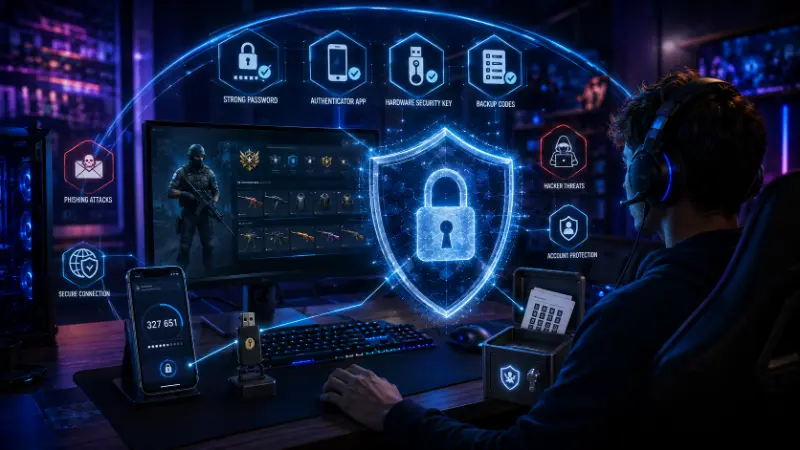
Types of 2FA: Which Method Is Actually the Safest?
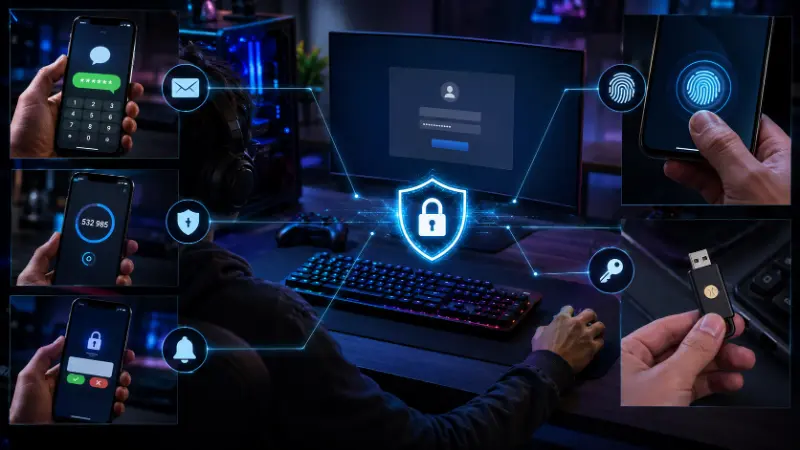
Not all second factors are equal. Here’s how the common ones stack up, from weakest to strongest:
| Method | How it works | Security level | Worth knowing |
|---|---|---|---|
| SMS text code | A code texted to your phone number | Weakest of the common options | Vulnerable to SIM-swapping — better than nothing, but the weakest real 2FA method |
| Email code | A code sent to your inbox | Weak-to-moderate | Only as safe as your email account itself; if your email is compromised, this factor is too |
| Authenticator app (TOTP) | An app like Google Authenticator, Microsoft Authenticator, or Steam Mobile generates a rotating code | Strong | Works offline, isn’t tied to your phone number, can’t be intercepted over the network |
| Push notification | A prompt on your phone you approve or deny | Strong | Fast and convenient, though users can be tricked into approving a login they didn’t request (“MFA fatigue”) |
| Hardware security key | A physical USB or NFC device (like a YubiKey) you tap or plug in | Strongest available | Effectively phishing-proof since it verifies the actual website, not just a code; the main downside is you have to carry it |
| Biometric (fingerprint/face) | Your device checks a stored biometric | Strong and convenient | Usually paired with a device you already have; can’t be “guessed” the way a code can |
If a platform gives you the option, an authenticator app is the sweet spot of security and convenience for most gamers. Save hardware keys for accounts holding real money or irreplaceable progress.
Why Gamers Specifically Need to Care About This
2FA guides written for banks and offices don’t cover what actually happens in gaming, and it’s worth being specific about why your accounts are a real target:
- Your account has resale value. Skins, rare cosmetics, high-rank competitive accounts, and old accounts with early battle passes or founder’s editions all get bought and sold on grey markets. That makes them worth stealing in a way a random forum login isn’t.
- Trading requires it, not just recommends it. On Steam, the Mobile Authenticator isn’t optional if you want to trade freely — accounts without it get put on multi-day trade holds specifically because unprotected accounts are the ones that get compromised and used to scam other traders.
- Publishers have had to bribe players into turning it on. Epic Games famously gave away a free “Boogie Down” emote in Fortnite to any player who enabled 2FA — a clear sign of how low adoption was even when the security benefit was obvious. Epic also requires 2FA for things like Fortnite tournament entry and the Support-A-Creator program.
- Account recovery for gaming platforms can be slow and painful. Compared to a bank, a game publisher’s support process is often ticket-based and impersonal. If someone takes over your account and changes your linked email and phone number, getting it back can take days or weeks — and if you don’t have 2FA on to begin with, that takeover is much easier to pull off in the first place.
Is 2FA Actually Hacker-Proof? (No — Here’s What Still Gets Through)
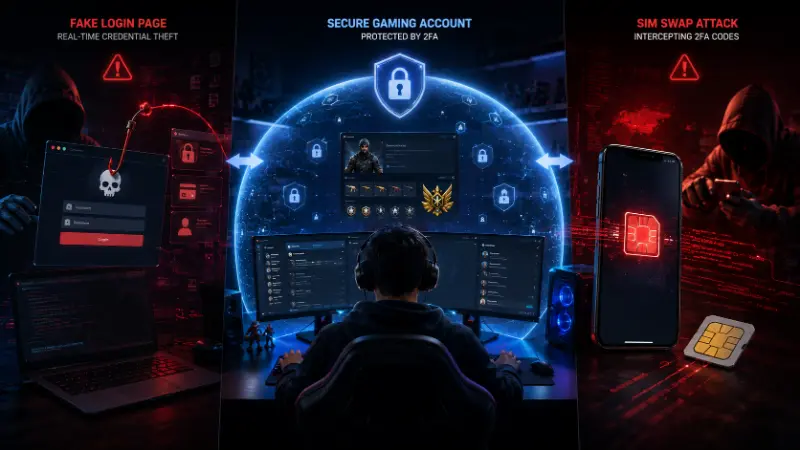
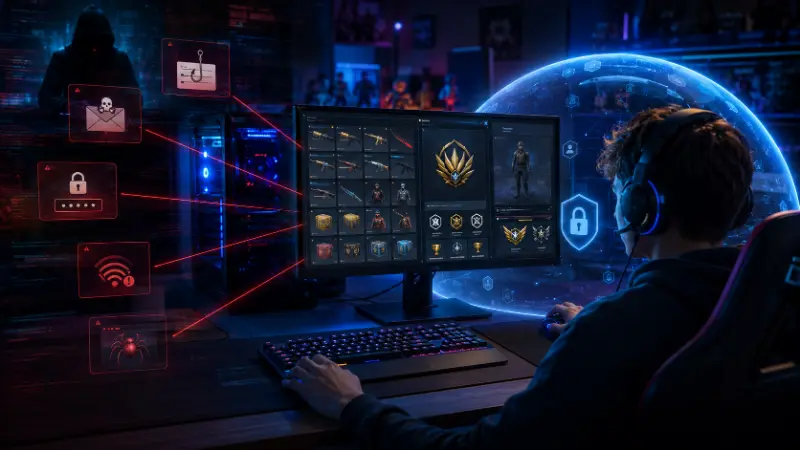
2FA is a massive upgrade over a password alone, but it isn’t invincible, and pretending otherwise does gamers a disservice. Two real attack methods bypass it:
SIM swapping. An attacker convinces your mobile carrier to transfer your phone number to a SIM card they control — usually through social engineering, not hacking in the technical sense. Once they have your number, they can receive your SMS codes directly. This is the single biggest argument for using an authenticator app instead of text messages: an app-generated code isn’t tied to your phone number at all, so a SIM swap doesn’t expose it.
Phishing / adversary-in-the-middle attacks. A fake login page captures your password and your 2FA code in real time, then immediately uses both on the real site before your code expires. This is exactly how the well-documented “hacked despite having 2FA on” cases happen — the account owner did everything right, but was tricked into handing over both factors at once on a convincing fake page. Hardware security keys are the one method that resists this, because they cryptographically verify the actual website domain — a fake page simply can’t trigger a valid response from the key.
The takeaway isn’t “don’t bother with 2FA.” It’s: turn it on everywhere, prefer an app or hardware key over SMS, and never enter a code on a page you reached by clicking a link instead of typing the address yourself.
How to Turn On 2FA on the Platforms That Actually Matter
Steam Open the Steam Mobile app, go to Steam Guard, and follow the prompt to enable the Mobile Authenticator. Write down the recovery code it gives you — Steam support will ask for it if you ever lose your phone.
Epic Games / Fortnite Go to your Epic account, open Password & Security, and turn on two-factor authentication under Two-Factor Authentication. You can choose email or an authenticator app. On console (Xbox, PlayStation, Switch), 2FA is managed through your Epic account online or in-app under the same account settings — it applies across every platform your Epic account is linked to, not per-device.
PlayStation Network From your PS5 or PS4, go to Settings > Users and Accounts > Security > 2-Step Verification, or manage it from account.sony.com. You’ll need a phone number or authenticator app to generate the code.
Xbox / Microsoft account Go to account.microsoft.com, open Security, and turn on two-step verification. Microsoft Authenticator is the recommended app-based option and also supports passwordless sign-in if you want to go a step further later.
Riot Games (League of Legends, Valorant) Log in to your Riot account settings, go to the Security tab, and enable two-factor authentication using an authenticator app.
Battle.net (Blizzard) Go to Account Settings > Security, and set up the Battle.net Authenticator — either the mobile app version or, if you want maximum security, Blizzard’s physical authenticator key.
Discord Under User Settings > My Account > Two-Factor Authentication, you can enable an authenticator app or a hardware security key — useful since a hijacked Discord is often the first step attackers use to social-engineer their way into other accounts.
What to Do If You Lose Access to Your 2FA
This is the scenario most guides skip, and it’s the one that actually causes panic:
- Save your backup codes the moment you set up 2FA. Every major platform generates a set of one-time backup codes during setup. Store them somewhere that isn’t your phone — a password manager or a written note in a safe place both work.
- If you lose your phone but kept your backup codes, use one to log in, then immediately re-register 2FA on your new device and generate a fresh set of codes.
- If you lost your phone and never saved backup codes, you’ll need to go through the platform’s account recovery process, which typically requires proving ownership through your registered email and any purchase or account history you can provide. This is slower — sometimes days — which is exactly why saving backup codes up front matters.
- If you changed phone numbers, update your 2FA method before you lose access to the old number, not after.
Frequently Asked Questions
What is an example of two-factor authentication?
Logging into your Steam account with your password, then entering a code from the Steam Mobile Authenticator app before you’re let in. The password is something you know; the app-generated code is something you have.
Why is two-factor authentication important?
Because a password alone is only one layer of protection, and passwords get stolen through data breaches, phishing, and reused-password attacks constantly. 2FA means a stolen password by itself isn’t enough to get into your account.
What’s the difference between 2FA and MFA?
2FA always uses exactly two factors. MFA is the broader category and can use two or more. Every 2FA setup counts as MFA, but not every MFA setup is limited to just two factors.
Is 2FA the same as two-step verification?
Usually yes in casual use, but technically not always. True 2FA requires two different categories of proof (know/have/are). Some “two-step” processes use two steps from the same category, like two emailed codes, which is weaker than real 2FA.
Can 2FA be hacked?
Yes, though it’s significantly harder than breaking a password alone. The two realistic ways it gets bypassed are SIM swapping (for SMS-based 2FA) and real-time phishing pages that capture both your password and your code at once. Authenticator apps and hardware security keys are far more resistant to both than text-message codes.
What is 2FA authorization, and is it different from 2FA authentication?
Yes, they’re different. Authentication (2FA) confirms who you are when you log in. Authorization controls what you’re allowed to do afterward — some platforms require a separate authorization step, like re-entering a code, before high-risk actions such as a large purchase or trade.
Why did Epic Games give away a free emote for enabling 2FA?
Epic offered the “Boogie Down” emote in Fortnite as an incentive to get more players to turn on two-factor authentication, since adoption tends to stay low unless there’s a direct reward for it. 2FA is also required for Fortnite tournament entry and the Support-A-Creator program.
Do I need 2FA if I don’t spend real money in games?
Yes. Even a free-to-play account can hold hundreds of hours of progress, a competitive rank, or a linked email that attackers can use to reach your other accounts. Account value isn’t only measured in dollars spent.
What’s the safest type of 2FA?
Hardware security keys are the strongest option currently available, followed by authenticator apps. SMS text codes are the weakest common method because of SIM-swapping risk, though they’re still better than having no second factor at all.
How do I turn off two-factor authentication?
Go to the security or account settings of the specific platform and look for the two-factor authentication or 2-step verification option — the exact toggle location varies by service. Some platforms, like Apple, don’t allow you to fully disable it once it’s set up during account creation.
What should I do if I’m locked out because I lost my authenticator device?
Use a saved backup code if you have one. If not, use the platform’s official account recovery process — never trust a third party or “recovery service” outside the platform’s own support channels, since account-recovery scams specifically target people who are panicking about losing access.