
Blood of Dawnwalker PC Requirements: Minimum, Recommended, RAM, GPU & Download Size

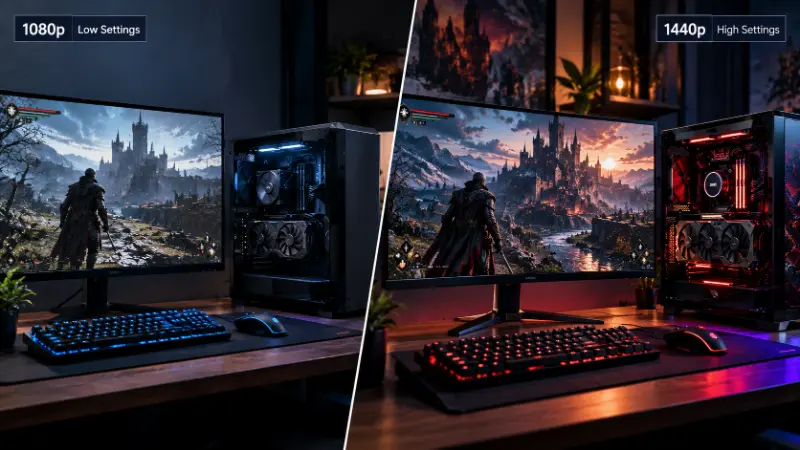
Blood of Dawnwalker PC Requirements, short answer: on the live Steam listing, the minimum spec targets 1080p at 30 FPS on Low settings with Balanced Upscaling turned on, running on an Intel Core i5-11400F or AMD Ryzen 7 2700X, 16GB of RAM, and a GTX 1060 or RX 580 with 6GB VRAM. The recommended spec targets 1440p at 60 FPS on High, running on an i7-11700K or Ryzen 7 5700X with an RTX 4060, RX 7600 XT, or Intel Arc B580. Both tiers need 60GB of free SSD space. That’s the number to trust — a few other pages floating around still quote an older, pre-launch spec sheet that Rebel Wolves has since revised, and we’ll get into exactly why below.
Blood of Dawnwalker is Rebel Wolves’ first game — the studio Konrad Tomaszkiewicz (former director on The Witcher 3) founded with a handful of other CD Projekt Red veterans. It’s a dark fantasy action RPG built on Unreal Engine 5, set in 14th-century Europe, where you play Coen: human by day, vampire by night, racing a 30-day story clock to save your family. It launched on PC, PS5, and Xbox Series X|S on September 3, 2026, sold over a million copies in three days, and — like most Unreal Engine 5 open-world games — arrived with a PC version that runs noticeably rougher than its console counterparts. If you’re here to check whether your rig can handle it, or you already own it and you’re dealing with stutter, this covers both.
Blood of Dawnwalker PC Requirements: Minimum Specs
| Component | Minimum Spec |
|---|---|
| Target | 1080p, 30 FPS, Low preset, with Balanced Upscaling |
| OS | Windows 10, 64-bit |
| Processor | Intel Core i5-11400F / AMD Ryzen 7 2700X |
| Memory | 16GB RAM |
| Graphics | NVIDIA GTX 1060 / AMD Radeon RX 580 |
| VRAM | 6GB |
| DirectX | Version 12 |
| Storage | 60GB available space (SSD required) |
That “with Balanced Upscaling” line matters more than it looks. It means this isn’t native-resolution rendering — DLSS, FSR, or XeSS is doing real work to hit that 30 FPS number, even at the minimum tier. If you turn upscaling off entirely, expect a noticeably worse result than the table suggests.
Blood of Dawnwalker PC Requirements: Recommended Specs
| Component | Recommended Spec |
|---|---|
| Target | 1440p, 60 FPS, High preset, with Balanced Upscaling |
| OS | Windows 10, 64-bit |
| Processor | Intel Core i7-11700K / AMD Ryzen 7 5700X |
| Memory | 16GB RAM |
| Graphics | NVIDIA RTX 4060 / AMD Radeon RX 7600 XT / Intel Arc B580 |
| VRAM | 8GB |
| DirectX | Version 12 |
| Storage | 60GB available space (SSD required) |
Same story here — 1440p/60 at High is what you get with upscaling turned on, not with it off.
Blood of Dawnwalker PC Requirements: Why the Spec Sheet Changed
This is the part almost nobody covering Blood of Dawnwalker PC Requirements has connected properly, and it’s why you’ll find wildly different numbers depending on which article you land on.
Rebel Wolves published an original spec sheet in late April 2026, and it was rendering-only — no upscaling, no frame generation, native resolution across the board. That sheet had five separate tiers and topped out with an RTX 5090 as the only card capable of hitting native 4K at 60 FPS on Ultra, paired with a Ryzen 9 7950X or Core i5-13600K:
| Target | GPU (native, no upscaling) | VRAM |
|---|---|---|
| 1080p / 30 FPS / Low | RTX 3050, GTX 1070, RX Vega 56, or Arc A580 | 6GB |
| 1080p / 60 FPS / High | RTX 5060 or RX 6800 XT | 12GB |
| 1440p / 60 FPS / High | RTX 4070 Ti or RX 7800 XT | 12GB |
| 1440p / 60 FPS / Ultra | RTX 4080 or RX 7900 XTX | 16GB |
| 4K / 60 FPS / Ultra | RTX 5090 | 16GB |
That RTX 5090 line is why the game briefly became a punchline — plenty of players saw it out of context and assumed you needed a $2,000 GPU just to run the game at all. Rebel Wolves was explicit at the time that these were native-rendering numbers and that DLSS/FSR support would improve real-world performance, but the “5090 required” headline traveled a lot further than the caveat did.
By June, closer to launch, the studio revised the whole sheet around Balanced Upscaling as the assumed baseline instead of native rendering, which is the table you see at the top of this article. Under that assumption, the GPU ask for a strong 4K/Ultra experience dropped to something like an RTX 4070 Ti or RX 9070, paired with a Ryzen 7 7800X3D or Core i7-12700K. Nothing about the game’s actual performance changed between April and June — Rebel Wolves just changed what assumption the numbers were built on. If you see a page quoting an RTX 5090 as a hard requirement with no mention of upscaling, you’re looking at the old sheet.
Blood of Dawnwalker RAM Requirements
16GB across both tiers, no split between minimum and recommended. A few things worth knowing before you assume 16GB is plenty:
- 16GB is workable as long as it’s the only demanding thing running — no capture software, no browser with 40 tabs open, no Discord screen share eating memory in the background.
- If you’re running anything alongside it, 32GB is the safer real-world number. Unreal Engine 5’s shader compilation and streaming system leans on system memory more than the official minimum implies, and it’s part of why some 16GB systems report worse stutter than the spec sheet would suggest.
- One post making the rounds on Facebook lists an 8GB VRAM minimum instead of 6GB — that doesn’t match the official Bandai Namco page or the live Steam listing, so treat 6GB minimum / 8GB recommended as the number to trust.
Blood of Dawnwalker GPU Requirements
The GPU ask genuinely depends on whether you’re using upscaling, so here’s both pictures:
With Balanced Upscaling (the current, live spec):
- 6GB VRAM minimum — GTX 1060 / RX 580 — targets 1080p/30/Low
- 8GB VRAM recommended — RTX 4060 / RX 7600 XT / Arc B580 — targets 1440p/60/High
Native rendering, no upscaling (from the original pre-launch sheet, still useful if you prefer native image quality):
- 1080p/60/High needs a 12GB card like an RTX 5060 or RX 6800 XT
- 1440p/60/Ultra needs a 16GB card like an RTX 4080 or RX 7900 XTX
- 4K/60/Ultra needs an RTX 5090, with no AMD equivalent listed
If you’re chasing 4K without relying heavily on upscaling, plan around an RTX 4070 Ti or RX 9070 paired with a 7800X3D-class CPU as the realistic modern target — that’s the tier Rebel Wolves settled on once they factored Balanced Upscaling into the equation, and it’s a lot more achievable than the original RTX 5090 number suggested.
One more note before you buy a card based on this article: match the exact desktop model. A laptop RTX 4060 runs at lower power limits than its desktop namesake and will underperform against these numbers, even though the product name is identical.
Can I Run Blood of Dawnwalker? Checking Your Specs Against the Requirements
Quick self-check against the Blood of Dawnwalker PC Requirements above:
- Open Task Manager’s Performance tab (or
dxdiag) to confirm your exact CPU, installed RAM, and GPU/VRAM. - Compare against the minimum and recommended tables above — VRAM and system RAM are separate numbers, don’t confuse them.
- Confirm you’re installing to an SSD. The requirements specifically call for SSD storage, and Unreal Engine 5 games are noticeably worse on a traditional hard drive for texture streaming and shader loading.
- If your CPU and GPU sit in different tiers (a strong GPU with a weaker CPU, for example), plan for the weaker part to be your real-world bottleneck. Blood of Dawnwalker’s NPC and time-progression systems lean on CPU performance more than a typical linear RPG.
If you’re deciding whether to free up storage or upgrade hardware first, storage is the cheaper fix — 60GB is manageable on most modern SSDs even without a full drive clear-out.
Blood of Dawnwalker Download Size
| Platform | Download Size |
|---|---|
| PC (Steam/GOG) | ~60GB |
| PlayStation 5 | 50.505GB |
| Xbox Series X|S | ~80GB |
PC sits in the middle of the three. Some players saw a smaller preload figure — around 48.8GB — before day-one patches pushed the full install up to the official 60GB, so budget for the full number rather than whatever the preload shows. If you’re tight on space, this is a good moment to clear out old install files before you start the download rather than mid-install.
Common Blood of Dawnwalker PC Issues (and What Actually Fixes Them)
This is the part most requirements pages skip entirely, and it’s what a lot of people searching this topic actually want to know a few days after buying: does it run well, not just does it run. Steam reviews opened in “Mixed” territory in the first hours after launch and climbed into “Mostly Positive” as patches landed — the game itself has been well received for its story and world, but the PC build had a genuinely rough first week. Here’s what’s confirmed, and what to do about each one:
- Camera stutter. The single most-reported issue — a stutter specifically when turning the camera, not general traversal stutter. Rebel Wolves’ official workaround is switching from Windowed/Borderless to full-screen mode. Worth knowing: some outlets testing on RTX 5080/5090 hardware still saw the stutter in full-screen mode even after Hotfix 1.0.4, so treat this as a partial fix rather than a guaranteed one.
- Shader compilation crashes. Rebel Wolves’ suggested fix is updating your motherboard BIOS before touching GPU drivers — an unusual recommendation, but a specific one tied to how the shader pipeline interacts with certain chipsets.
- Startup crashes / game not launching. A smaller but real subset of players have reported the game failing to launch at all on first install. If full-screen mode and a BIOS update don’t resolve stutter or crash issues on your system, verifying your game files through Steam and confirming your GPU drivers are current is the next troubleshooting step.
- Cutscenes locked to 30 FPS. Non-choice cutscenes are capped at 30 FPS on PC regardless of hardware; only decision-point cutscenes run uncapped. No official fix yet — a community mod exists to unlock this if it bothers you.
- Screen tearing and flickering lights. Acknowledged by the developers, still open as of the latest patch.
- Controller quirks. PS5 gamepad remapping wasn’t available at launch; sprint could interrupt when changing direction (lowering controller sensitivity from 1.0 to 0.8 was the interim fix); DualSense support arrived via Hotfix 1.0.3.
- FPS drops with outdated GameInput software, and VSync conflicts with FSR Frame Generation — both patched in Hotfix 1.0.4, which also targeted general stability and the shader compilation pipeline.
Patch timeline: Hotfix 1.0.2 (September 3, day one) → Hotfix 1.0.3 (September 4, added DualSense support) → Hotfix 1.0.4 (stability and shader pipeline improvements). This is still an active situation — check the official requirements and patch notes page before you install if you’re buying now rather than at launch.
If stutter persists after trying the fixes above, a general Windows tune-up — closing background processes, checking for pending driver updates, making sure Windows 11 itself isn’t the bottleneck — is worth doing before assuming your hardware is underpowered. A lot of reported “performance issues” on systems that meet or exceed the Blood of Dawnwalker PC Requirements turn out to be background software eating CPU cycles, not the game itself.
Is Blood of Dawnwalker on Steam Deck or Linux?
Not officially. There’s no Steam Deck verification badge on the listing, and Rebel Wolves hasn’t published native Linux, SteamOS, or macOS requirements. Community sentiment on this has been skeptical from the start — several Steam Deck players pointed out even before launch that the minimum spec (a GTX 1060-class GPU with 6GB VRAM, in a handheld thermal envelope) looked unlikely to run comfortably, and that’s held up so far. A Windows-only requirements table doesn’t rule out running it through Proton, but it isn’t an endorsement either — if Deck compatibility is a dealbreaker, treat it as unresolved rather than assuming it’ll work.
FAQ
Can I run Blood of Dawnwalker on my computer?
Compare your CPU, GPU, VRAM, and RAM against the minimum table above. If you meet the minimum (i5-11400F/Ryzen 7 2700X, GTX 1060/RX 580, 16GB RAM), you should get roughly 1080p at 30 FPS on Low with upscaling enabled.
How much RAM does Blood of Dawnwalker need?
16GB at both the minimum and recommended tier officially, though 32GB is a safer real-world target if you’re multitasking or running mods.
Does Blood of Dawnwalker require an SSD?
Yes. The official requirements specify 60GB of SSD space at both tiers; a traditional HDD isn’t listed as supported and will make shader loading and texture streaming noticeably worse.
What GPU do I need for 4K in Blood of Dawnwalker?
With upscaling enabled, an RTX 4070 Ti or RX 9070 is the realistic modern target. Without upscaling, Rebel Wolves’ original spec sheet named the RTX 5090 as the only card hitting native 4K/60/Ultra.
Why do some sites list an RTX 5090 as required and others don’t?
Because two different spec sheets exist. The original April 2026 sheet measured native rendering with no upscaling; the current live sheet assumes Balanced Upscaling is turned on, which is why the GPU numbers look so different between articles.
Is Blood of Dawnwalker on Steam Deck?
Not officially confirmed. No verification badge has been issued, and the minimum GPU spec suggests it would struggle in a handheld power envelope even if it does run through Proton.
Why is my PC above the recommended specs but still stuttering?
This is a known, developer-acknowledged camera-stutter bug, not necessarily a hardware shortfall — it’s affected systems well above the recommended tier, including high-end GPUs. Try full-screen mode first; if it persists, it’s a known issue Rebel Wolves is still patching rather than something wrong with your PC.
This Blood of Dawnwalker PC Requirements guide was last verified September 16, 2026, against the live Steam store listing, the official Bandai Namco and Rebel Wolves requirements pages, and public patch notes through Hotfix 1.0.4. Requirements and known issues will keep changing as Rebel Wolves patches the game — check back before you buy if it’s been more than a few weeks since this was written. For context on what else is landing around the same window, see our GTA 6 release coverage, and if frame rate is the actual bottleneck rather than raw specs, our FPS guide covers general fixes that apply here too.